> For the complete documentation index, see [llms.txt](https://doc.okok.network/llms.txt). Markdown versions of documentation pages are available by appending `.md` to page URLs; this page is available as [Markdown](https://doc.okok.network/product-guides/bridge-eth-between-arbitrum-and-scroll.md).
# Bridge ETH between Arbitrum and Scroll
Low fee, fast speed, high safety
## Overview
In this turorial, we assume you want to bridge ETH from Arbitrum one to Scroll mainnet. This method also apply for bridging from Scroll mainnet to Arbitrum one. Overall, it includes those four steps:
1. select source chain
2. connect wallet
3. deposit fund
4. check fund in target chain
## Step 1 - Select source chain
When you open , in the right top corner, you can select the source blockchain where your fund located in. For example, currently your ETH is in Arbitrum, you want to bridge some ETH to Scroll, you should select Arbitrum as source chain. After you selected Arbitrum, OKOK network will assume you want to bridge ETH to Scroll network.
## Step 2 - Connect wallet
### **Adding a wallet**
If you do not have a wallet yet, you can use MetaMask:
### **Connecting your wallet**
After you have a wallet, you can connect your wallet by pressing the "Connect Wallet" button on the OKOK network bridge page:

If you see the message below, click on "Add Arbitrum" or "Add Scroll" to add the Arbitrum / Scroll network to your wallet.

Alternatively, you can manually add the Arbitrum network: .
## Step 3 - Deposit fund
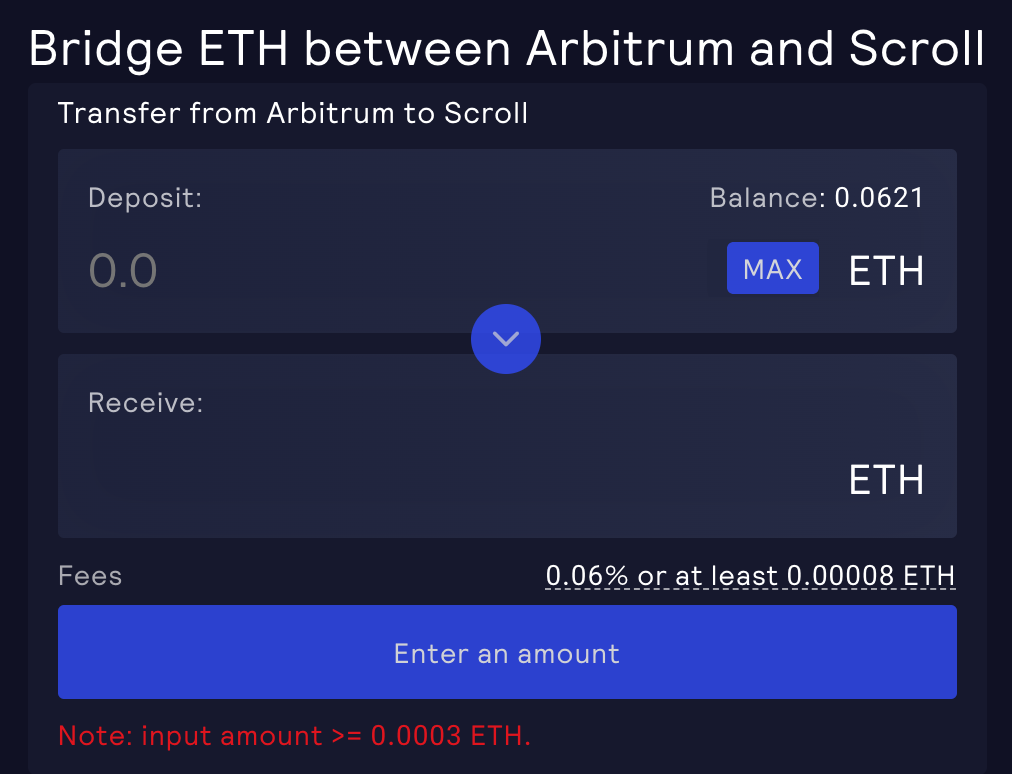
After you successully connect wallet, now you can deposit ETH to the transparent contract:
If the deposit is successful, you will receive a prompt similar to the following:
{% hint style="info" %}
We strongly recommend that you do not deposit too much money at once, because the Scroll network is still in its early stages and may have bugs
{% endhint %}
## Step 4 - Check fund in target chain
After the deposit is successful, you can now check whether fund has reach your target chain.
## Backup RPC URLs
Since OKOK Network is a decentralized application, querying of data and submitting of transactions go through an RPC URL.
There may be times when the RPC URL is not as responsive as it should be, during these times you may notice data being slow to load or not loading on your page. It is also possible to hit the rate limit with the public Arbitrum RPC URL (), which would result in 429 errors.
To continue using the exchange during these times you can use a backup URL from [Alchemy](https://www.alchemy.com/), [Ankr](https://www.ankr.com/protocol/public/) or [QuickNode](https://www.quicknode.com/chains/arb), switch the RPC URL in the network settings of your wallet and the page should load faster after.
For a list of RPC URLs and their statuses: .
## Steps to change the RPC URL in MetaMask
* Click on the MetaMask icon, then click on the three dot icon and select Expand View
* Click on your account icon on the top right and select Settings
* Click on Networks
* Key in the New RPC URL
* Click Save


 ## Step 2 - Connect wallet
### **Adding a wallet**
If you do not have a wallet yet, you can use MetaMask:
## Step 2 - Connect wallet
### **Adding a wallet**
If you do not have a wallet yet, you can use MetaMask: